Solve Your Real Cube.
Enter your real cube colours, calculate the solution and follow every move with the interactive 3D guide.
Visual Guide & Step-by-Step Overview
Click to expand/collapse user manual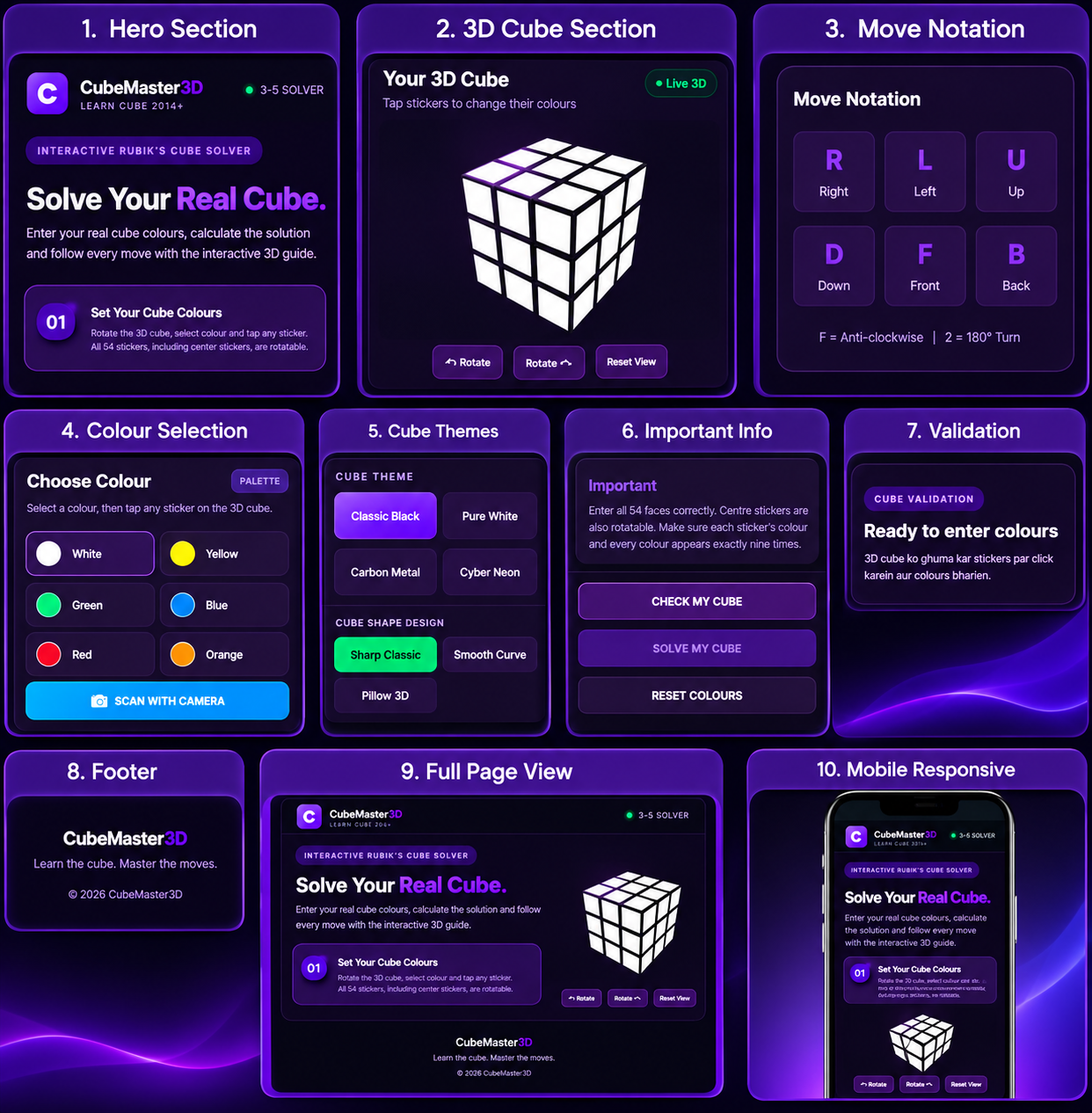
Set Your Cube Colours
Rotate the 3D cube, select a colour and tap any sticker. All 54 stickers, including centre stickers, are editable.
Move Notation
' = Anticlockwise | 2 = 180° Turn
How CubeMaster 3D Solves the Rubik's Cube
CubeMaster 3D utilizes advanced two-phase solving algorithms (Kociemba's algorithm) to compute the optimal or near-optimal solution for any standard 3x3 Rubik's Cube within seconds. Whether you use our real-time 6-face camera scanner or manually select the palette colors, the system validates the permutation logic and ensures an accurate step-by-step 3D solution.
Understanding the 3x3 Solving Layers
The Fridrich method (CFOP) and Kociemba's algorithm break the 54 facelet permutations into structured computational steps. Solving begins with establishing a cross on the primary face (typically White), resolving First Two Layers (F2L), Orienting the Last Layer (OLL), and Permuting the Last Layer (PLL). CubeMaster 3D streamlines this by calculating the most efficient path directly, keeping turn sequences below 22 half-turn moves on average.
Tips for Accurate Camera Scanning
Ensure steady ambient lighting without harsh reflections on glossy plastic stickers. Hold the cube 15–20 centimeters away from the lens, aligning the square grid boundaries squarely over each individual face. If lighting causes color confusion between Red and Orange, tap on the 3D model manually to correct any misidentified facelets before calculating.
Beginner's Guide to Rubik's Cube Notations
- F (Front): Rotate the front face clockwise by 90 degrees.
- R (Right): Rotate the right face clockwise by 90 degrees.
- U (Up): Rotate the top layer clockwise by 90 degrees.
- L, D, B: Left, Down, and Back faces respectively. Apostrophe (') indicates counter-clockwise turns, and '2' indicates a 180-degree turn.
Frequently Asked Questions (FAQ)
Why does the solver say "Cube permutation invalid"?
A standard 3x3 cube must have exactly 9 stickers of each colour and 6 unique center pieces. If stickers are misplaced or a corner piece is physically twisted, the cube becomes mathematically unsolvable.
Does this tool work completely offline?
Yes, once loaded, the PWA service worker caches all 3D assets and solver logic, allowing offline operation.